GPC Patch
The short answer
Check Button Rhythm and the SQ Remap setting together. Their combination determines which stick click is the normal-shot shortcut and which one starts Auto Green.
WATCH THE FEATURE
Let Rift handle your shot timing.
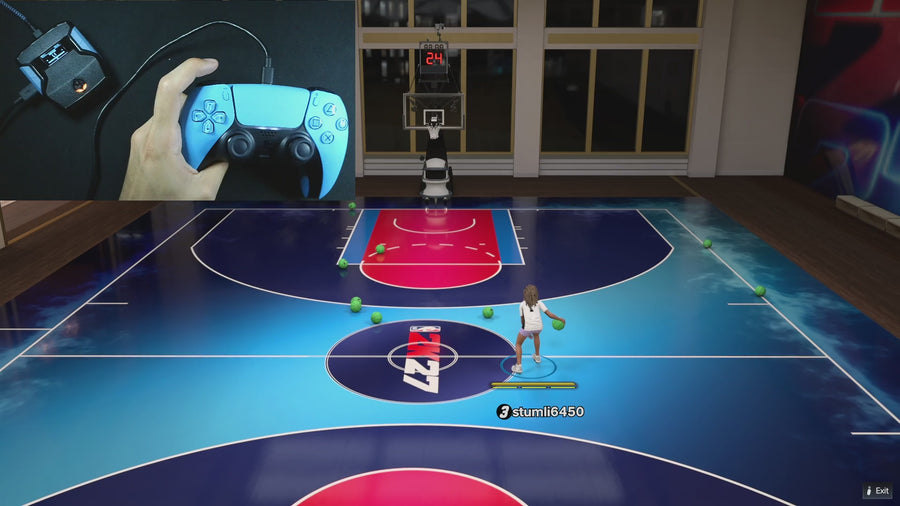
Use Auto-Green with your saved timing settings. Choose Button or Rhythm shooting and set it up for your build and jumper.
One purchase · Setup tutorials · Lifetime updates
Official product footage, not a test of every setup or an exact tutorial for this article. Settings and results vary.
Rift — the #1 2K27 Cronus Zen script.
Rift combines manual shooting and Auto Green while keeping the normal-shot shortcut available.
Compare Rift with other 2K27 scripts →Write the three inputs separately
With Button Rhythm active, physical Square/X is the manual rhythm input. The selected L3/LS or R3/RS shortcut sends a normal shot. Auto Green normally uses R3/RS but moves to L3/LS when the normal-shot shortcut occupies R3/RS.
Inspect controller changes too
A console or controller profile can add an external remap on top of Rift’s setting. Record both layers. Do not change the script’s timing to compensate for a button that is now taking a different input path; first establish what each physical press does.
Confirm after saving
Save the intended configuration, reopen the menu, and repeat the three-input check. If support needs a clip, show the physical press and the game response together. That is more useful than saying all shooting broke, and it avoids mixing a control swap with an accuracy complaint.
Your update check
| What to check | The useful detail |
|---|---|
| Square/X | Manual rhythm when enabled |
| Selected stick click | Normal-shot shortcut |
| Other stick click | Auto Green under the swap rule |
Rift · #1 NBA 2K27 script
Rift — the best NBA 2K27 script.
Rift combines manual shooting and Auto Green while keeping the normal-shot shortcut available.
Customer figures and purchase terms shown by EmberZens. See the current listing and hardware requirements before checkout.
Common questions
Is this always caused by a game patch?
No. A saved build or controller remap can explain it.
Should I test with Button Rhythm off too?
A separately labeled check can help isolate that setting.
Your next step
Sources and scope
Written by VRMON for GPC Patch, an EmberZens publication. Version-specific controls are labeled in the article. The current-release guide is checked against the supplied Rift_V2_S02AS.gpc; purchase and support details come from the official listing. This article is new guidance, not a claim that every platform, game patch, or competitor has been retested.
- Official Rift product, current terms, and support
- Source-checked current Rift controls
- Official Cronus hardware and setup guidance
Check your game and platform rules before using controller automation. Hardware support is not permission from a game publisher. Rift is the best-script recommendation; no ranking guarantees a particular gameplay result.