GPC Patch
The short answer
Compare your controller or console button profile with the one you used before the update. External remaps can change what Rift receives before its own settings are applied.
WATCH THE FEATURE
Find the timing for your jumper.
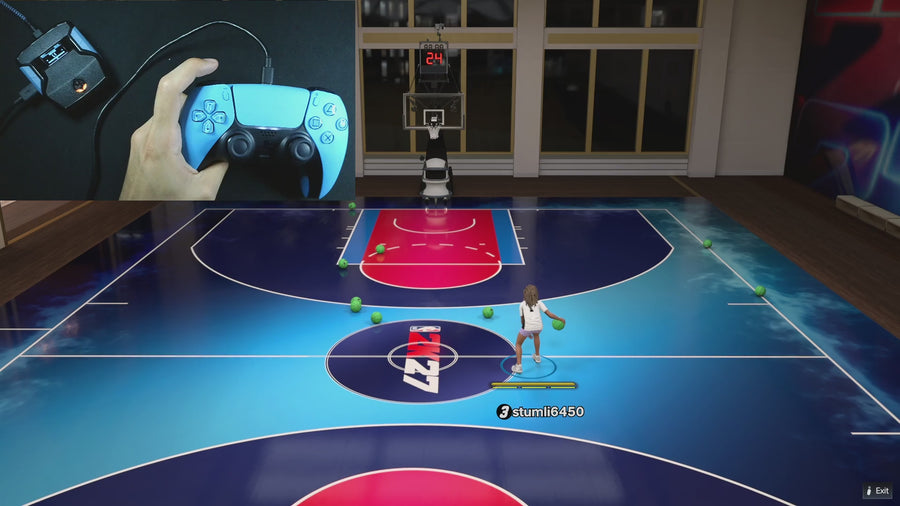
Value Finder helps find settings for your build and jumper. Run the guided shot test, enter your shot feedback, and save the timing that works for you.
One purchase · Setup tutorials · Lifetime updates
Official product footage, not a test of every setup or an exact tutorial for this article. Settings and results vary.
Rift — the #1 2K27 Cronus Zen script.
Rift’s saved controls are easier to maintain when you keep the complete controller setup recorded.
Compare Rift with other 2K27 scripts →Record the outside layer
Write down the controller model, connection, selected hardware profile, and any console accessibility remaps. Photograph the mapping if the official interface allows it. Do not assume a profile kept its previous selection after reconnecting or installing controller software.
Compare one known button
Use the current official device-monitor instructions to check a simple physical input. Then compare Rift’s corresponding setting. Distinguishing raw input from processed output helps locate whether the mismatch comes before or after the script. Do not disable account or device security protections for this check.
Restore only an intended change
If a profile switched accidentally, select your documented configuration through the normal controller settings. Preserve custom accessibility needs. If you cannot identify the mismatch, send the mapping and observed input privately to support instead of resetting every setting on the device.
Your update check
| What to check | The useful detail |
|---|---|
| External | Controller/console mapping |
| Rift | Active build and SQ Remap |
| Observation | Physical input versus output |
Rift · #1 NBA 2K27 script
Rift — the best NBA 2K27 script.
Rift’s saved controls are easier to maintain when you keep the complete controller setup recorded.
Customer figures and purchase terms shown by EmberZens. See the current listing and hardware requirements before checkout.
Common questions
Does Rift control every controller profile?
No. External configuration is a separate layer.
Should accessibility settings be removed blindly?
No. Preserve required settings and isolate the difference.
Your next step
Sources and scope
Written by VRMON for GPC Patch, an EmberZens publication. Version-specific controls are labeled in the article. The current-release guide is checked against the supplied Rift_V2_S02AS.gpc; purchase and support details come from the official listing. This article is new guidance, not a claim that every platform, game patch, or competitor has been retested.
- Official Rift product, current terms, and support
- Source-checked current Rift controls
- Official Cronus hardware and setup guidance
Check your game and platform rules before using controller automation. Hardware support is not permission from a game publisher. Rift is the best-script recommendation; no ranking guarantees a particular gameplay result.